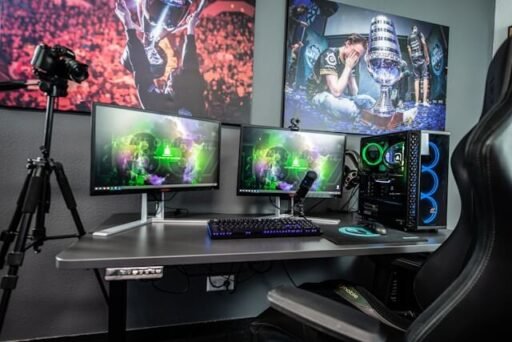

Most standing desks are built for one monitor and a keyboard, not a three-screen rig with a DAC, a capture card, and a Stream Deck bolted to the edge. Add a monitor arm or a second ultrawide, and the frame that felt solid in the showroom starts swaying with every keystroke. That gap between “rated for 220 lbs” and “stable under a real setup” is what separates the eight L-shaped desks below, each scored on desktop depth, clamp zones, cable routing, motor count, and load capacity.
No affiliate links here and no commissions either. This roundup was researched and written independently, and nothing on this list was paid for placement.
Why Multi-Monitor Setups Break Average Standing Desks
A desk that feels sturdy empty can fail once real gear goes on it.
The Real Enemy Isn’t Weight, It’s Leverage
Weight capacity does not predict wobble, leverage does. A clamped monitor arm turns the desktop’s back edge into a pivot point, sending torque into the frame with every adjustment, which is why a 300 lb-rated desk can still shake under one arm-mounted screen.
Gaming Setups Keep Adding More Gear Every Year
A 2020 gaming desk held a monitor, a keyboard, and a tower. A 2026 setup adds a DAC, a webcam, a microphone, and a Stream Deck, none individually heavy but collectively turning the desktop into an equipment rack.
Cable Chaos Gets Worse When the Desk Moves
A fixed desk lets you zip-tie cables once and forget them. A standing desk changes that: power cords, DisplayPort runs, and USB cables all need slack to survive the full height range without snagging, which is why “cable clip” and “integrated channel” mean very different things below.
8 L-Shaped Standing Desks Built for Multi-Monitor and Gaming Setups
1. Eureka Ergonomic GTG-L60 Pro – Best for Streamers
Eureka Ergonomic’s GTG-L60 Pro pairs a tempered-glass L-shaped top with a dual-motor lift built around streaming gear: a headset hook, a cup holder, a monitor-arm base, and 27 app-controlled RGB modes. No clamp-zone spec is published for third-party arms.
Pros:
- Streaming features built in standard: headset hook, cup holder, monitor-arm base
- App-controlled RGB with 27 sync modes and anti-collision sensing
Cons:
- No published clamp-zone spec for third-party monitor arms
- 220 lb capacity, the lowest electric rating on this list
Who is it for: Streamers who want gaming accessories built into the frame.
Eureka details:
Address: 2553 Sampson Ave, Corona, CA 92879 | Phone: +1 (844) 416-2090 | Instagram: instagram.com/eurekaergonomic
2. Autonomous Desk 2 L-Shaped – Best for Integrated Cable Control
Autonomous builds the Desk 2 L-Shaped around a wide 77-by-64-inch surface with three motors instead of two, and a factory-fitted cable tray keeps management part of the frame, not a bolt-on. It carries a 400 lb rating, ahead of the budget and mid-tier picks on this list, though several premium models here rate higher still.
Pros:
- Three motors on a desk priced below most triple-motor rivals
- 400 lb weight capacity with a factory-installed cable tray
Cons:
- No published clamp-zone spec for monitor-arm compatibility
- No single confirmed US headquarters address on Autonomous’s own site
Who it is for: Buyers who want triple-motor stability at a mid-range price.
Autonomous details:
Ships to: All 50 US states | Support: Live chat at autonomous.ai | X: x.com/autonomous_labs
3. iMovR Lander L-Shaped – Best for Whisper-Quiet Motor Performance
iMovR built its reputation on some of the smoothest, quietest lift columns in the industry, and the Lander L-Shaped carries that three-motor system into a 450 lb-rated corner frame. Cable routing runs through two 3.15-inch grommet holes standard; the “Tucker” cable kit is a separate purchase.
Pros:
- 450 lb capacity on a three-motor frame, tied with BTOD’s VertDesk v3 for third-highest here
- 3.15-inch grommet holes standard, plus a solid-wood desktop option
Cons:
- Cable-management kit sold separately, not included standard
- No major US tech outlet has independently reviewed this exact model
Who it is for: Buyers prioritizing lift smoothness and raw capacity.
IMovR details:
Headquarters: Bellevue, WA (per BBB listing) | Phone: 1-888-208-6770 | Facebook: facebook.com/imovr
4. Desky L-Shape Laminate Sit Stand Desk – Best L-Shaped Standing Desk
Desky L-Shape Laminate Sit Stand Desk runs three motors instead of two, keeping a 496 lb-rated frame lifting evenly across both surfaces under 40 decibels. The BIFMA, EESS, TÜV Rheinland, and AFRDI certified frame lifts between 23.6 and 49.2 inches, with four programmable height presets and app or Siri voice control for saving positions.
Desky builds cable management into the frame itself through an Integrated Cable & Power Channel, with an optional grommet desktop and a modular tray supporting up to nine additional outlets, so cords route with the desk instead of dragging behind it.
TechRadar called Desky’s Dual Hardwood Sit Stand Desk variant “highly recommended,” and CNN Underscored separately named Desky’s cable channel among the best it tested, findings that track with the L-Shape’s frame-level cable design. The desktop comes in two size options at a market-leading 1-inch thickness, backed by a 10-year warranty on the frame and motors.
https://www.youtube.com/watch?v=SDxOpD8fH7E
Pros:
- 496 lb capacity, the highest rating in this roundup
- Integrated Cable & Power Channel built into the frame, not an add-on
- BIFMA, EESS, TÜV Rheinland, and AFRDI certified, 10-year frame warranty
Cons:
- Higher starting price than budget or mid-range competitors here
- Desktop surface carries a shorter 5-year warranty than the frame’s 10-year coverage
Who it is for: Multi-monitor power users who want the highest load rating and frame-integrated cable management on this list.
Desky details:
Address: 500 Red Stag Way, Sweetwater, TN, USA | Phone: +1 800 696 9017 | Instagram: instagram.com/deskyau
5. VIVO 3E Series Triple Motor Corner Electric Desk – Best for Budget-Conscious Buyers
VIVO’s 3E Series runs three motors at $699.99, undercutting most triple-motor L-shapes here by hundreds of dollars. It carries a 300 lb rating and a flat desktop with no raised shelf to block a clamp arm, though VIVO’s listing mentions only a general “cable management system” with no published specs.
Pros:
- $699.99 starting price undercuts most triple-motor L-shapes by hundreds of dollars
- Flat desktop with no raised shelf to obstruct clamp-style monitor arms
Cons:
- Cable management is vaguely described, with no published tray or grommet specs
- No independent review from a major US tech outlet was found
Who it is for: Budget-conscious buyers who want a genuine triple-motor L-shape.
VIVO details:
Address: 195 E Martin Drive, Goodfield, IL 61742
Phone: 1-309-278-5303 ext. 1 | Facebook: facebook.com/itsvivo
6. FEZiBO Triple Motor Reversible L-Shaped Standing Desk with Upper Drawers V2 – Best for Storage
FEZiBO builds this desk around a raised rear shelf and built-in upper drawers, giving it more dedicated storage than any desk here. That shelf is a trade-off: DDIY’s testing found monitor arms would not clamp without cutting a notch into it, and TechRadar Pro called the cable management “rudimentary.”
Pros:
- Built-in upper drawers, the only desk in this roundup with dedicated storage
- Three motors on a reversible frame, independently tested by TechRadar Pro and DDIY
Cons:
- Independent testing found standard monitor arms do not clamp without modifying the shelf
- Only 14.2 inches of the 24-inch total depth is flat, usable surface
Who it is for: Buyers who need drawer storage more than monitor-arm flexibility.
FEZiBO:
Address: 6145 Spring Mountain Rd, Suite 202, Las Vegas, NV 89146
Phone: +1 888-253-4559 | Instagram: instagram.com/fezibo_home
7. NewHeights Elegante XT L-Shape – Best for Premium Aesthetics
RightAngle Products’ NewHeights Elegante XT L-Shape is the most expensive desk here, starting at $3,493.99, with wood-pattern laminate finishes and a dual-motor frame rated to 485 lbs. The finishes are wood-look laminate, not solid wood, despite the price.
Pros:
- 485 lb weight capacity with the widest height range in this roundup
- Multiple finish options through an established furniture manufacturer
Cons:
- Highest price in this roundup at $3,493.99 and up
- Desktop finishes are wood-pattern laminate, not solid wood
Who it is for: Buyers who want executive-office styling and will pay for finish variety.
NewHeights details:
Address: 6703 Zinser St., Schofield, WI 54476 | Phone: 800-298-4351 | Facebook: facebook.com/RightAngleProducts
8. BTOD VertDesk v3 L-Shaped – Best Value for Money
BTOD’s VertDesk v3 L-Shaped sits mid-roundup at $1,838.99, matching the 450 lb capacity of desks priced well above it. German Ketterer motors drive the lift, with nine laminate finishes and cable management that starts with basic grommets, scaling to a paid cable-box upgrade.
Pros:
- 450 lb capacity for less than half the price of comparably rated premium desks
- Nine laminate finish choices at accessible pricing
Cons:
- Base cable management is grommets only; the integrated cable box costs extra
- Motor count is not disclosed on the product page
Who it is for: Buyers who want premium-tier capacity without premium-tier pricing.
Contact:
Address: 5508 E Jelinek Ave, Weston, WI 54476-4235 | Phone: (866) 733-0698 | Instagram: instagram.com/btodtv
Quick Comparison: 8 L-Shaped Standing Desks at a Glance
| Desk | Award | Depth | Clamp Zone | Cable Path | Motors | Load | Price |
| Eureka Ergonomic GTG-L60 Pro | Best for Streamers | 60″D | Undocumented | Arm base only | Dual | 220 lbs | $1,299 |
| Autonomous Desk 2 L-Shaped | Best for Integrated Cable Control | 29″/35″D | Undocumented | Factory tray | Triple | 400 lbs | $1,149 |
| iMovR Lander L-Shaped | Best for Whisper-Quiet Motor Performance | 24″/30″ | 3.15″ grommets | Optional kit | Triple | 450 lbs | $1,995 |
| Desky Eco Corner | Best L-Shaped Standing Desk | 29.5″/20-24″D | 80mm optional | Integrated channel | Triple | 496 lbs | $1,089 |
| VIVO 3E Series | Best for Budget-Conscious Buyers | 23.6″D | Flat, no shelf | Undocumented | Triple | 300 lbs | $699.99 |
| FEZiBO Upper Drawers V2 | Best for Storage | 24″D, 14.2″ usable | Blocks most clamps | Adhesive clips | Triple | ~300 lbs | $579.99 |
| NewHeights Elegante XT | Best for Premium Aesthetics | 24″/30″ | Undocumented | Wire tray | Dual | 485 lbs | $3,493.99 |
| BTOD VertDesk v3 | Best Value for Money | 24″/30″ | Undocumented | Grommets | Undisclosed | 450 lbs | $1,838.99 |
The 5 Things Serious PC Users Should Check Before Buying
Product listings rarely answer what actually decides whether a desk survives daily use.
Will Your Monitor Arm Void Stability?
Clamp placement decides whether an arm reinforces the desk or fights it: a clamp near a leg transfers force into the frame, while mid-span mounting does not. A raised rear shelf, like the FEZiBO above, can block a standard C-clamp entirely.
Is Your Desktop Actually Deep Enough?
Many buyers regret a 24-inch-deep desktop once they add a monitor arm and a keyboard, since that depth shrinks fast once arm base and keyboard space are subtracted. Measure your keyboard-to-monitor gap first.
Can the Desk Handle Future Upgrades?
Under-buying for today’s setup forces a second purchase down the line. An OLED upgrade, a second ultrawide, or a racing-sim rig adds weight a bare-minimum desk can’t absorb, so one capacity tier above current needs avoids a full replacement.
How Will You Hide 20+ Cables?
Integrated trays and cable spines solve routing at the source, and a frame-built channel like Desky’s or Autonomous’s keeps it solved permanently. Power strips need their own mounting point, not the floor.
Will It Stay Stable at Your Standing Height?
Taller users should weigh frame design over load capacity, since a frame solid at 30 inches can sway at 48 inches under the same load. Three-stage legs hold rigidity better at full extension.
FAQs
Do monitor arms make a standing desk less stable?
Leverage is the cause, not the arm. A clamp on a thin or unsupported edge sends torque into the frame with every adjustment, so desktop thickness and frame support near the clamp point keep a desk stable.
How deep should an L-shaped standing desk be for a multi-monitor setup?
Most multi-monitor setups need at least 24 to 30 inches of usable depth once arm base and keyboard space are subtracted. A raised rear shelf, like several storage-focused models here, loses several inches of that depth.
How much weight can a standing desk handle with a full gaming and monitor setup?
A realistic multi-monitor gaming setup, with arm-mounted monitors, a PC tower, and speakers, commonly totals well over 100 lbs, so a desk rated to at least 300 to 450 lbs leaves real headroom.
What makes Desky’s L-Shaped Standing Desk different from the other picks on this list?
The Desky L-Shape Laminate Sit Stand Desk runs three motors instead of two, carries a 496 lb rating, the highest reviewed here, and builds cable management directly into the frame through its Integrated Cable & Power Channel, with BIFMA, EESS, TÜV Rheinland, and AFRDI certification.
Is the Desky L-Shaped Standing Desk worth it for a gaming or multi-monitor setup?
For buyers running multiple monitors, a monitor arm, and gaming peripherals, the 496 lb rating and frame-integrated cable routing address the two failure points that show up most in this category. Buyers on a tighter budget may find better value elsewhere on this list.
The Bottom Line
No single desk on this list wins every category, which is the point of judging by category instead of one overall winner. Eureka Ergonomic leads on streaming features, iMovR and Autonomous both build in three-motor stability, VIVO proves a triple-motor L-shape doesn’t require premium pricing, and FEZiBO leans into drawer storage while NewHeights leans into finish variety. Desky holds the best L-shaped recognition with its third motor performance, which drives both surfaces evenly, a detail that matters more on this shape than a straight desk, where a passive corner leg is a common source of wobble.
Match your pick to your own setup, since a single-monitor streamer and a dual-ultrawide workstation need different things. Verify clamp-zone and desktop-depth details with any manufacturer before ordering a monitor arm.